I've been down on Norton/Symantec products in the past, but Norton AntiVirus is the best antimalware application I've ever used. It's fast, efficient, and protects Firefox. I got my copy for $20 after rebate at Staples, and there might be other good deals elsewhere.
Update: I now more fond of Microsoft Security Essentials, which is free.
06 January 2009


Right-Click to QuickArchive in Outlook
The following AutoHotkey code makes right-clicking a shortcut for QuickArchiving in Outlook, but (helpfully) only if a message is being right-clicked. Otherwise, there is normal right-clicking behavior.
02 January 2009
White Too Harsh? Soften the Background Color
Using Microsoft Office Outlook, I noticed the background was such a bright white that it hurt to look at it. The background color is sort of customizable by adjusting the system color for windows as follows:
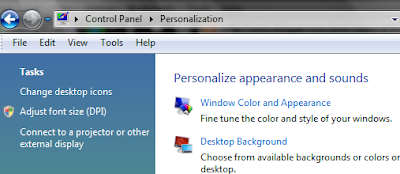



- For RGB values, use the same number between 245 and 255


30 December 2008
Improving Wireless Networking on Vista (and XP?)
Some commands for the Command Prompt:
- netsh int ipv4 reset
- netsh winsock reset
- netsh int tcp set global rss=enabled chimney=disabled autotuninglevel=normal congestionprovider=ctcp ecncapability=enabled timestamps=disabled
- ipconfig /release
- ipconfig /renew
- DhcpConnForceBroadcastFlag 0
29 December 2008
QuickArchive: More About Gmail-like Archive in Outlook

Expanding upon this earlier post, I started using AutoHotkey so that Shift Right-Clicking a message in Outlook archives it and Ctrl Right-Clicking deletes it. To do so, I changed the toolbar name for the ArchiveSelected macro to "&QuickArchive" (without quotes). An ampersand in a toolbar item name underlines the following character so that the button may be "clicked" via a keyboard shortcut: in this case Alt-Q. Why "Q"? Well, every other letter I tried was already taken by a menu or another toolbar item.
Then, I added the following to my main AHK script:
#IfWinActive ahk_class rctrl_renwnd32
+RButton::
Send {Click}
Send !q
return
^RButton::
Send {Click}
Send ^d
return
#IfWinActive
27 November 2008
Apps I'm Thankful For
- Everything (Search)
- Firefox
- AutoHotkey
- MWSnap
- Taskbar Shuffle
- Norton Antivirus 2009
- Digsby
- Audacity
- MP3Tag
- SpywareBlaster
- TrueCrypt
- Windows Vista
- Nirsoft
- Console Calculator
- GOM Player
- MP3 to Ipod Audiobook Converter
26 November 2008
Parallel Port Driver Service Failed to Start
If you don't have a parallel port on your computer, this is easily fixed from the command line:
sc config parport start= disabled
21 November 2008
Disable Wireless LED with Gigabyte GN-WI06
HKEY_LOCAL_MACHINE\SYSTEM\CurrentControlSet\Control\Class\{4D36E972-E325-11CE-BFC1-08002BE10318}\0008
In the registry key above, changing the value for LinkLedFunc to 00 from 03 effectively disabled the WLAN indicator LED. Simply deleting the LED keys did not do the trick.
23 October 2008
Error 1310 Can't Write to Config.msi Directory During Repair or Uninstall
Error 1310. Error writing to file: C:\Config.Msi\59cb9b6.rbf. System error 5. Verify that you have access to that directory.
This problem seems to especially crop up under Windows Vista with UAC turned off. There is a lot of advice online about adjusting the permissions of the Config.msi folder, but I don't think they work.
The following workaround seems to do the trick, however:
1. First, try resetting Windows Installer by running the following (this might be all you need to do):
msiexec /unreg
msiexec /regserver
2. When installing a program, like from Adobe or Microsoft Office 2007, that demonstrates this problem, run the installer EXE in XP Compatibility mode.
3. Make sure the setup programs that are copied to your Program Files directory are set to run in XP Compatibility mode. Here are a couple examples:
Adobe Acrobat Pro 9: "C:\Program Files\Adobe\Acrobat 9.0\Setup Files\{AC76BA86-1033-0000-7760-000000000004}\Setup.exe"
Microsoft Office 2007: "C:\Program Files\Common Files\microsoft shared\OFFICE12\Office Setup Controller\SETUP.EXE"
4. Make sure that no files are in use when doing a change/repair operation. For example, Copernic Desktop Search keeps Outlook files in use unless it is shut down, and changing the Office installation will fail. Other search programs or backup software might make for the same problem.
05 September 2008
Command Line: Enable/Disable Require Password on Wake from Sleep or Hibernate
I couldn't find this anywhere online:
powercfg -setdcvalueindex SCHEME_CURRENT SUB_NONE CONSOLELOCK 1
powercfg -setacvalueindex SCHEME_CURRENT SUB_NONE CONSOLELOCK 1
The last digit enables or disables the setting: 0 = password not required; 1= password required
Subscribe to:
Posts (Atom)

